
반응형
Notice
Recent Posts
Recent Comments
Link
| 일 | 월 | 화 | 수 | 목 | 금 | 토 |
|---|---|---|---|---|---|---|
| 1 | 2 | |||||
| 3 | 4 | 5 | 6 | 7 | 8 | 9 |
| 10 | 11 | 12 | 13 | 14 | 15 | 16 |
| 17 | 18 | 19 | 20 | 21 | 22 | 23 |
| 24 | 25 | 26 | 27 | 28 | 29 | 30 |
| 31 |
Tags
- 강릉 당일치기 코스
- 먼슬리
- 애플워치 스포츠루프
- GIT
- 청년주택 신청방법
- hosts 설정
- 굿노트 템플릿
- 아이패드
- ubuntu
- 애플워치 줄질
- 역세권 청년주택 신청기준
- 2022 굿노트 다이어리
- 애플워치7 스타라이트
- mac os hosts
- 맥북 호스트 설정
- VMware
- 굿노트 속지
- 굿노트
- 굿노트 먼슬리
- c++
- 애플워치 스타라이트
- 강릉 새벽기차
- 인계동 파스타
- 굿노트 다이어리 공유
- 아이패드 굿노트
- 먼슬리 속지
- 굿노트 속지 공유
- 굿노트 다이어리
- 굿노트 위클리
- 남영역 청년주택
Archives
- Today
- Total
하루하루
[python] Mac m4 vscode에서 python 사용하기 본문
반응형
1. vscode 설치
Visual Studio Code - Code Editing. Redefined
Visual Studio Code redefines AI-powered coding with GitHub Copilot for building and debugging modern web and cloud applications. Visual Studio Code is free and available on your favorite platform - Linux, macOS, and Windows.
code.visualstudio.com
2. python 설치
Download Python
The official home of the Python Programming Language
www.python.org
기존 버전 삭제 방법
더보기
터미널 열기 (Cmd + Space → "터미널" 검색)
# 프레임워크 제거
sudo rm -rf /Library/Frameworks/Python.framework

# 앱 삭제
sudo rm -rf /Applications/Python*

# 심볼릭 링크 제거
sudo rm -f /usr/local/bin/python3
sudo rm -f /usr/local/bin/pip3
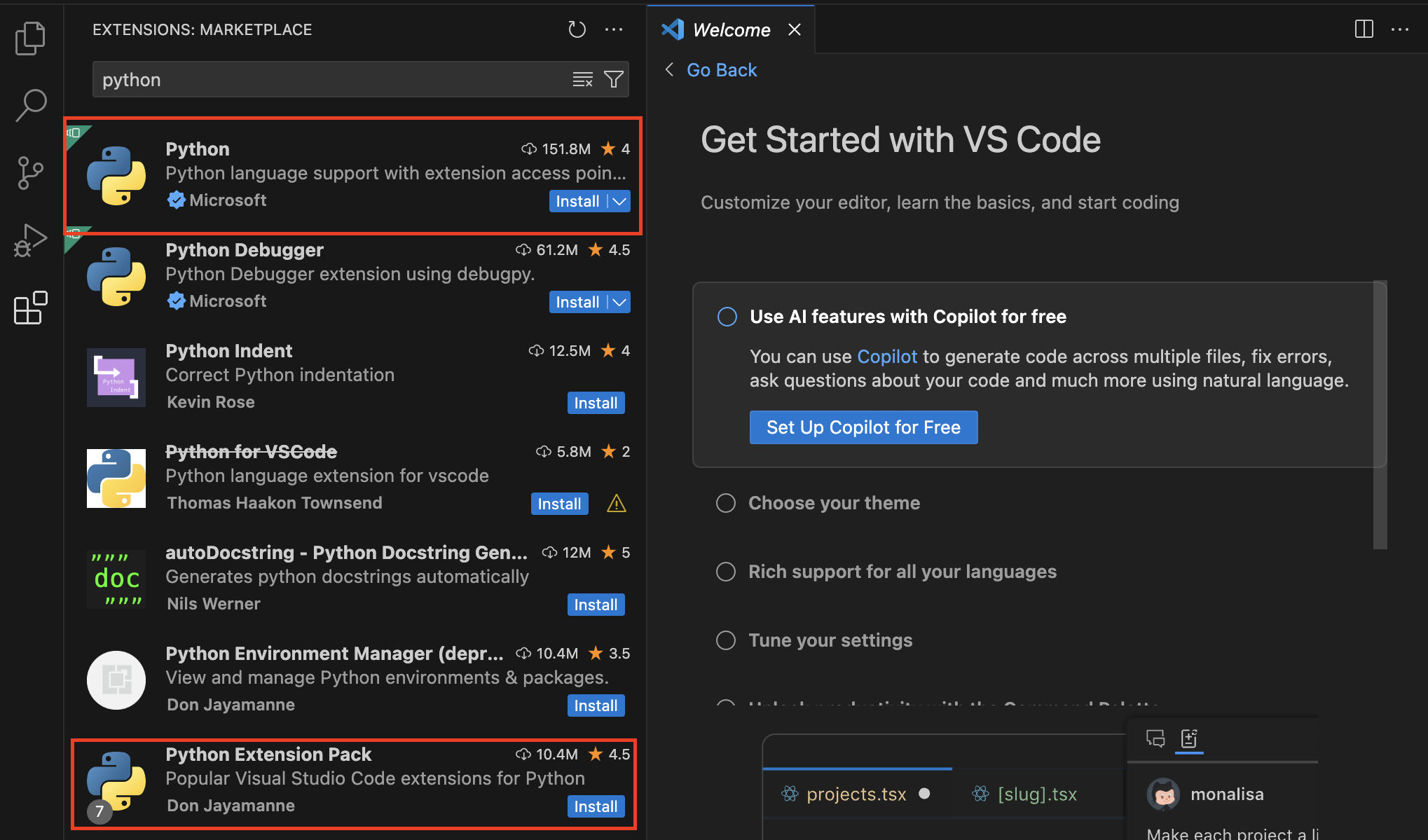
3. 확장팩 설치
* python
* python Extension Pack
* autopep8 (코드 자동정렬)
4. 가상환경 (필요한 경우)
python -m venv .venv
source .venv/bin/activate  # Mac/Linux
반응형
'IT > 🍎' 카테고리의 다른 글
| [MAC maven] 설치부터 환경변수 설정까지 (0) | 2022.12.02 |
|---|---|
| [맥 이클립스 설치] 환경변수 설정부터 이클립스 설치까지 (0) | 2022.12.01 |
| [애플워치 줄질] 애플워치 스타라이트 스트랩 추천, 메탈스트랩, 스포츠루프 (0) | 2022.10.27 |
| [Mac] hosts 설정 방법 - GasMask 편 (추천👍🏻) (0) | 2022.08.19 |
| [애플워치 줄질] 애플워치7 스타라이트 밴드 추천 및 비교🍎 (0) | 2021.12.17 |
'IT/🍎' Related Articles
more


